Before laptops made keyboards feel like tapping on a cafeteria tray, we had mechanical keyboards—thick, heavy slabs with keys that clicked, clacked, and sometimes even thunked with authority.
When Keyboards Had Personalities (and Weight)
If you grew up hearing an IBM Model M in full flight, you remember: typing sounded like a newsroom. Now, a new wave of enthusiasts is rediscovering that sound—and the feel, craft, and quirks that come with it.
Retro keyboards are no longer just discarded beige office gear. They’re coveted artifacts, daily drivers, and restoration projects. And the modern mechanical keyboard scene exists largely because people fell back in love with the old stuff.
A Short History of Big, Loud Typing
The Era of the Tanks
In the 70s and 80s, keyboards were:
- Built like battleships, with metal backplates
- Expensive—a serious chunk of a computer’s total cost
- Designed to last decades, not just product cycles
Two icons dominate retro keyboard lore:
IBM Model F (early 80s)
- Capacitive buckling spring switches
- Distinctively sharp, almost typewriter-esque feel
- Found on early IBM PCs and terminals
IBM Model M (mid-80s)
- Membrane buckling spring—simpler and cheaper than Model F
- Famous for its crisp tactile and audible feedback
- Still in use today in many offices and homes
These boards weren’t retro at the time—they were just what keyboards were.
The Rubber Dome Takeover
In the 90s, cost-cutting and slim design trends took over:
- Rubber dome and scissor-switch keyboards became standard
- Thinner, quieter, and cheaper
- Less satisfying feel, shorter lifespans
That shift made mechanical keyboards feel like an endangered species—until enthusiasts started hunting the old beasts down.
How Mechanical Keyboards Actually Work
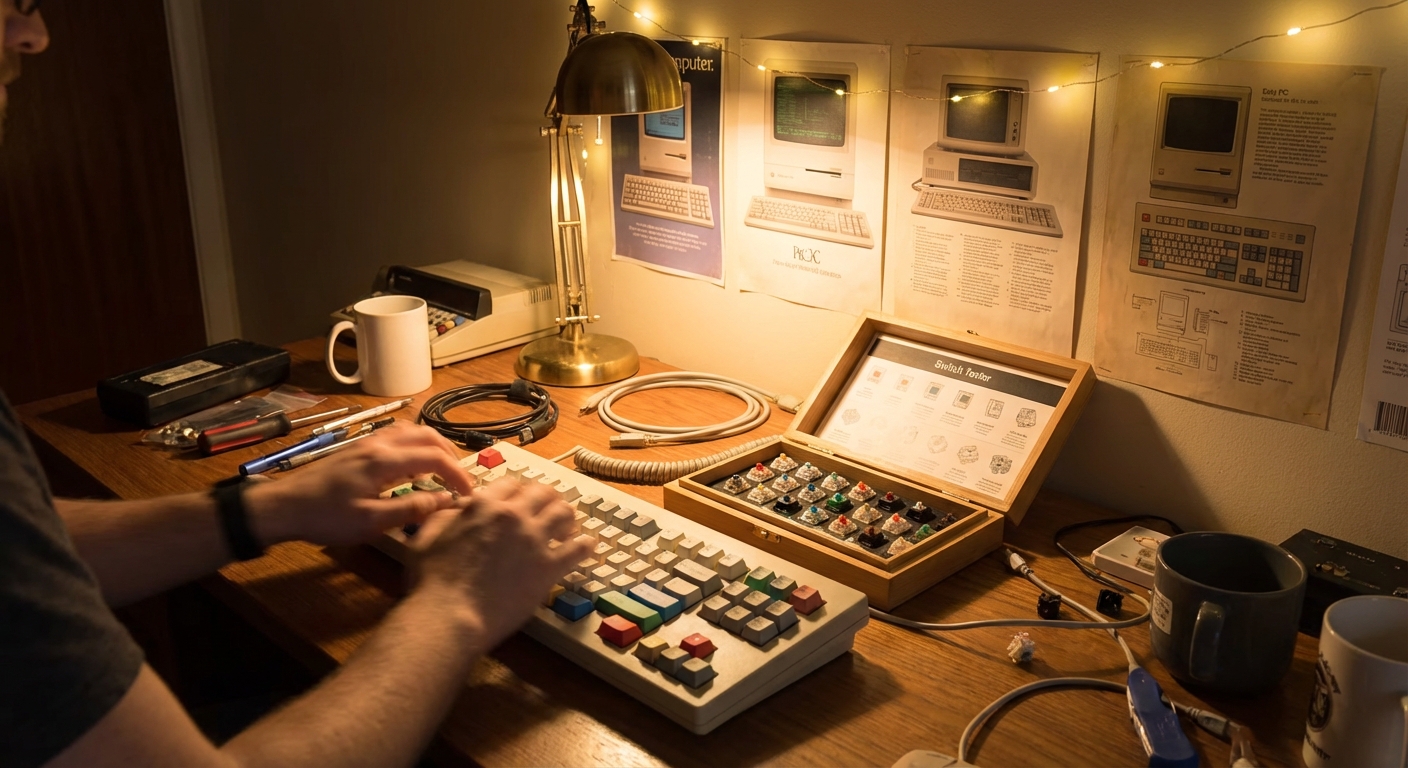
At their core, mechanical keyboards replace a sheet of rubber with individual mechanical switches for each key.
Key Components
Switch Housing: The plastic shell that holds everything
Spring: Pushes the key back up and determines its resistance
Stem: The moving part that connects to the keycap
Contacts or Sensor: Registers the keypress
Different mechanisms produce distinct feels and sounds.
Classic Retro Switch Types
Buckling Spring (IBM Model M & F)
- A coil spring that bends (buckles) under pressure
- When it buckles, it snaps a hammer against contacts to register the keystroke
- Feels: Tactile, clicky, and loud
Alps Switches (various 80s–90s boards)
- Made by Alps Electric, in many varieties (SKCM, SKCL, etc.)
- Often tactile or clicky, with a unique "snappy" feel
Early Cherry MX (late 80s onward)
- MX Blue: Clicky, tactile
- MX Brown: Tactile, quieter
- MX Black: Linear, heavier
These became the blueprint for most modern mechanical switches.
The Collector’s Journey: From Office Trash to Desk Treasure
Many mechanical keyboard collections begin with a story that starts, "I saw this old keyboard in a recycling bin…"
Rescue Missions
One enthusiast recounts spotting an IBM Model M half-hanging out of an office e-waste pile, cable dangling like a lifeline. After a quick permission check with IT, it became the centerpiece of their home setup.
Stories like this are common:
- Finding a dusty Apple Extended Keyboard II in a school storeroom
- Pulling a Cherry G80 from under a decades-old CRT in a workshop
- Inheriting a terminal keyboard from a retiring engineer
Restoration Rituals
Bringing these tanks back to life is part science, part spa day:
- Full disassembly and retrobright treatment to reduce yellowing
- Washing keycaps in soapy water (or the dishwasher, if you’re brave)
- Floss-mods and bolt-mods on Model Ms to reduce rattle and extend lifespan
The reward: a keyboard that not only looks better but feels and sounds like it did in the 80s—sometimes better.
Why Retro Boards Feel So Good to Type On
Mechanical keyboards engage your senses in ways a flat laptop board never will.
1. Tactile Feedback
Each keystroke gives your fingers a small event:
- A bump or click tells you "yes, the key registered"
- You type more confidently, with fewer bottom-outs
2. Sound as Feedback (and ASMR)
The classic click-clack is both musical and functional:
- It creates a rhythm that can help you find a flow state
- Each board has a distinct "voice," shaped by its case, keycaps, and switches
3. Heirloom Durability
Many retro boards were rated for tens of millions of keypresses per key. With some care, they can easily outlive multiple PCs—and multiple operating systems.
Using Retro Keyboards on Modern Machines
Good news: your old tank can almost always talk to your new computer.
Common Connection Types
- AT or XT DIN: Big round connectors on early PCs
- PS/2: Smaller round connector (still found on some motherboards)
- ADB: Apple’s old bus for pre-USB Macs
Adapters and Solutions
- Passive PS/2-to-USB adapters work for some boards
- Active converters (like Soarer's Converter) translate old protocols (AT/XT) to USB
- ADB-to-USB adapters for classic Macs
Once connected, your operating system usually just sees a standard keyboard.
Getting Started: A Simple Retro Keyboard Roadmap
Step 1: Define Your Aesthetic and Sound
Ask yourself:
- Do you want loud newsroom or quiet office?
- Beige and retro, or industrial and gray?
- Clicky, tactile, or smooth linear feel?
Step 2: Hunt in the Right Places
Look for:
- Surplus and recycling centers
- Office clear-outs and school auctions
- Online forums dedicated to mechanical keyboards
Search terms like "IBM Model M," "Apple Extended Keyboard II," or "vintage mechanical keyboard" can uncover gems.
Step 3: Learn the Basics of Care
- Never yank a keycap without checking the switch type
- Clean dust and crumbs gently using compressed air and a soft brush
- For deep restorations, find guides specific to your model (many exist for Model M, Model F, and AEK II)
Retro Meets Modern: Hybrids and Homages
The influence of vintage boards is everywhere in the modern mech scene:
- Custom keycap sets in beige, gray, and retro terminal colorways
- High-profile cases that mimic old-school thick bezels
- Switches designed to imitate Alps, buckling springs, and early Cherry feels
Some enthusiasts go further, hand-wiring vintage switch modules into custom USB boards, keeping the soul while upgrading the brain.
The Joy of Making Noise on Purpose
Mechanical keyboards make typing feel like an activity again, not just a side effect of computer use. Retro boards, especially, carry stories:
- Notes typed by someone decades ago
- Code compiled on machines long retired
- Emails sent over dial-up from the same keys you’re pressing now
In a world of silent touchscreens and paper-thin keyboards, there’s something rebelliously joyful about sitting behind a slab of noisy, old-fashioned engineering and letting it sing.
You’re not just typing—you’re joining a lineage of clacks that stretches back through offices, labs, and bedrooms, one satisfying keystroke at a time.